Border Archive
Checkpoint field archive

Secure the Border Wiki Index

A compact index for the exact Roblox game by Woof Games+: inspection stations, threat signals, officer roles, permanent gear, progression tools, and changing link status.

Quick answer · known / unknown

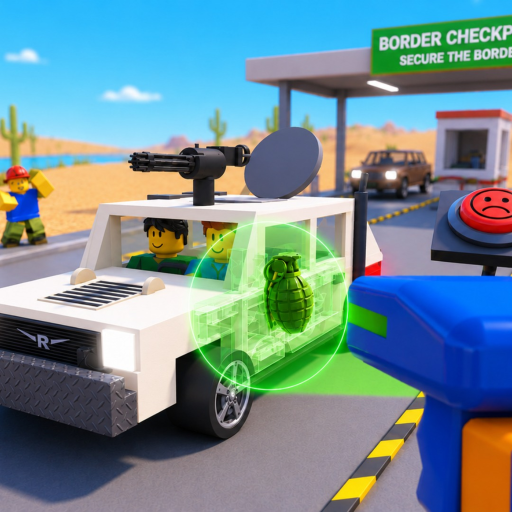
The checkpoint loop is documents → X-ray → trunk → engine → evidence → the decision shown by your current client.

Use that route as the backbone for the core systems currently named by Roblox. Then open the threat, role, pass, or cash station that matches what is blocking your next vehicle.

Archive stations

Choose the job in front of you

Each group owns a real player task. The archive stays narrow so you can move from a question to the right guide or tool without walking through unrelated categories.

Player routes

A short first-session path

  1. 1. Confirm the game. Open the Woof Games+ Roblox experience linked from this archive.
  2. 2. Learn the five checks. Use the inspection checklist for documents, X-ray, trunk, engine, and evidence review.
  3. 3. Follow the live prompt. Exact controls and verdicts come from your current client.
  4. 4. Plan one cash goal. Enter your own current cash, goal, and reserve in the calculator.
FAQ

Wiki questions

Is this the official Secure the Border wiki?

No. Border Archive is an independent fan resource. Roblox and Woof Games+ remain the official destinations for the game and purchases.

What does the wiki cover?

It covers the official checkpoint actions, named threats, current officer-role perks, permanent game-pass records, cash planning, and changing link or code status.

Why is there no full illegal-item or document verdict table?

The current official material names those systems but does not publish an exhaustive catalog or universal decision rules. Follow the evidence and prompts visible in your current client.

Where should a new player begin?

Start with the inspection checklist or full walkthrough, then use the cash calculator when you have a specific in-game goal.