Border Archive
Walkthrough Guide

Secure the Border Full Walkthrough

Follow a version-aware Secure the Border walkthrough for documents, X-rays, trunk and engine checks, threats, cash, and the next useful action.

Six-job routeChecked August 28, 2026
Quick answer

Follow six confirmed jobs: identify the game, check documents, X-ray the vehicle, search trunk and engine, review evidence, then follow the current-client decision.

Use this orientation once, then keep the interactive five-check helper beside you for each vehicle.

Exact controls, verdicts, days, rewards, and ending behavior remain tied to the prompts and screens in your current game version.

Walkthrough

Use the route at three moments

Orient once, complete every evidence source during the vehicle, then reset and plan only after the current decision.

Before the first vehicle: confirm the exact game and current prompts

Use the Woof Games+ experience at place ID 112676800280115, then locate the document, X-ray, trunk, engine, and decision controls shown on your platform.

During every vehicle: finish each evidence source before deciding

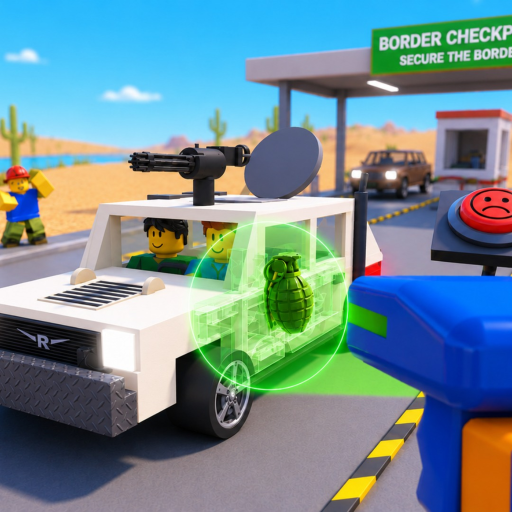
Read the visible document fields, review the X-ray, and search both the trunk and engine. A clear result at one station does not replace the other named checks.

After the decision: reset the route and plan the next bottleneck

Use the decision shown by the current client, then start the checklist again for the next vehicle. Enter live cash values in the planner only when you have a specific goal.

If you're stuck

If the route stops advancing

  • If a video shows a button or sequence you cannot see, follow the current client prompt and platform UI; the dated video is context, not authority.
  • If the vehicle appears unfinished, revisit documents, X-ray, trunk, and engine before assuming the guide’s order or a hidden item is the cause.
  • If Day 1-5 or an ending behaves differently, keep the official loop and treat the progression label as update-sensitive.

Common mistakes

  • Treating a dated video sequence as a permanent control map.
  • Skipping either the trunk or engine because the X-ray looked clear.
  • Assuming Day 1–5 wording proves a fixed five-day structure in every version.
FAQ

Common questions

Is this a current full game walkthrough?

It is a version-aware route built from official action labels and checked on 2026-08-28; exact client screens may change.

Does Secure the Border definitely have five days?

Recent community video titles use Day 1-5 wording, but no selected creator-owned source defines a permanent five-day contract.

What should I inspect on every vehicle?

Review documents, X-ray the vehicle, and search both the trunk and engine before the current-client decision.

What should I do after an inspection?

Use your live cash and goal values in the calculator, then review the threat guide as difficulty increases.

Related pages

Where to go next

Open the next page that matches what you are trying to do in-game.